Complete RSPSi Map Maker Guide for Custom RSPS Worlds
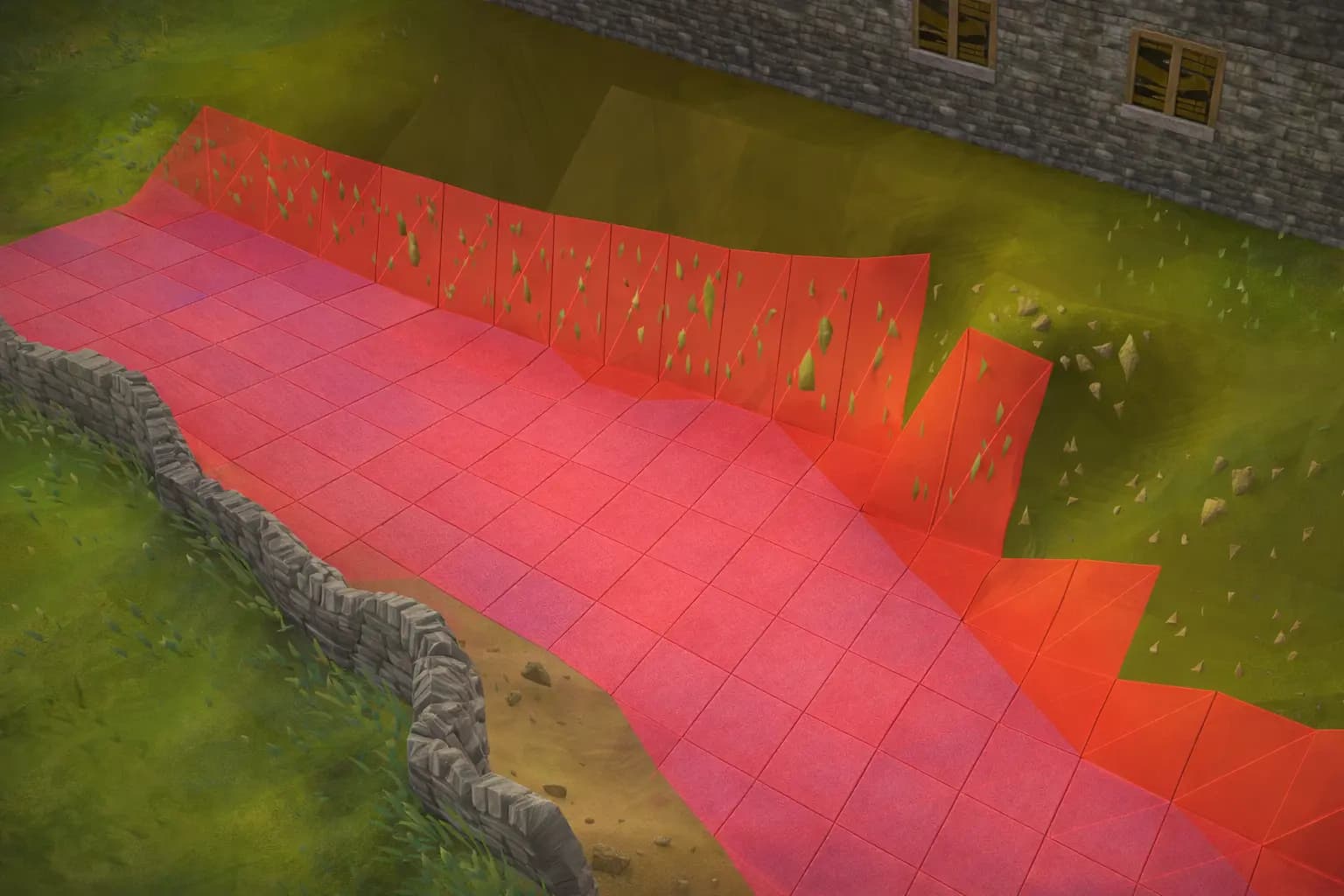
What RSPSi is used for in map creation
RSPSi is commonly used as a cache-focused toolkit in the RSPS scene, and its mapping features revolve around editing the same world data your client reads: regions, tiles, overlays, underlays, object spawns, and the supporting definitions that make those tiles render correctly. That distinction matters because you are not drawing a standalone level like in a modern engine. You are modifying data that must satisfy strict rules or your client will show black tiles, broken textures, missing objects, wrong heights, or regions that simply refuse to load.
When people say “map making in RSPSi”, they usually mean a complete workflow: decide what region IDs will contain the new area, edit terrain and paint floors, place objects, pack changes into the cache, then update the server side so clipping and interaction match what the client now displays. If you only do the client half, the area can look perfect but play terribly. If you only do the server half, you will have correct logic in a region the client never shows.
The files and concepts you must understand first
Before you touch the editor, you need a mental model of the moving parts, because nearly every “RSPSi bug” is actually a mismatch between these parts.
A RuneScape world is split into regions. A region is typically a 64x64 chunk of tiles, and each tile can have multiple planes (heights). Map data defines the shape of the terrain and what floor type appears on it. Location data defines placed objects like walls, doors, rocks, ladders, altars, stalls, and decorative props.
Overlays and underlays are the floor paints. Underlays are the base ground texture (grass, sand, dirt), and overlays are the top layer (paths, tiles, special floor patterns). Some overlays also control clipping visually, like water edges or dungeon floors, but the server still needs real collision logic.
XTEA keys are a separate reality you cannot ignore for many cache types. If your client expects XTEAs for a region and you do not have them, that region may load partially or fail completely. Many people waste hours “fixing” terrain that never had a chance to load.
Finally, remember that object placement is not “just visuals”. Rotation, type, and position influence collision and interaction. A door facing the wrong way is not only ugly, it can trap players or create a one-way exploit.
Setting up your workspace the right way
A clean RSPSi setup starts with a dedicated working folder, not your production cache directory. Treat your cache like source code: you want a working copy, a way to compare changes, and a way to roll back if today’s experiment breaks tomorrow’s build.
Keep three folders:
A baseline cache you never edit.
A working cache you edit in RSPSi.
A release cache that you build and ship from, after verification.
If you have XTEA keys, store them in a separate versioned file and keep the same file used by the tools and by your build scripts. If you scatter keys in random places, you will eventually pack a cache that works on your machine but fails on the live launcher.
Do the same for object and item definitions if your RSPSi workflow touches them. Map making often forces you to place objects that do not exist in your current definitions, and “invisible objects” are frequently just missing or mismatched definitions.
Planning a custom area like a real production change
The fastest way to create long term pain is to “just start building” without a region plan. A strong plan answers three questions:
Which region IDs will this project own, and will they ever be used by anything else.
How will players reach the area, and what coordinates will your teleports and paths target.
What is the gameplay purpose per sub area, so you do not design a beautiful dead space.
Pick region IDs that are unlikely to collide with existing content, then document them. Even if you are solo today, future you will forget. When a later update overwrites your region because someone reused it for an event arena, you will understand why planning matters.
Also decide if you are replacing an existing world space or building a new one. Replacing is safer for navigation because it already has links and minimap context, but it is riskier for expectations because players may notice the replacement. Building new space is cleaner creatively, but it demands proper entry points, map icons, and fail-safes for getting stuck.
Editing terrain without creating broken height and shading
Terrain editing is where many custom areas start looking wrong even if the paint is good. The client lighting and tile blending can reveal mistakes that are not obvious in the editor.
When shaping height, avoid sudden cliffs unless you also design the surrounding transitions. A one-tile height change can create harsh edges, strange shadows, and movement oddities if you later add server side collision incorrectly. Smooth slopes read better visually and usually play better unless the area is intentionally jagged.
Be consistent with plane usage. A common beginner mistake is mixing plane changes in tiny patches, which makes camera movement feel weird and creates accidental “invisible ceilings” if roofs or walls are later placed using assumptions from another plane.
After you sculpt, walk the area in the client with camera rotation and zoom changes, not just a single angle. Many height artifacts only show when the camera crosses certain angles.
Painting underlays and overlays so it looks like a real world
Great RSPS maps feel coherent because the floors tell a story. Bad maps feel like someone spam-clicked textures.
Use underlays to establish the biome identity first. Grass and dirt mixes, sand patches, rocky soil, swamp tones, or dungeon stone should be consistent across large surfaces. Then use overlays as intentional signals: paths that guide movement, floor tiles that show safe zones, worn areas around entrances, and transitions near water or cliffs.
Tile blending is your friend. Strong floor design often comes from subtle variation, not from exotic textures. Alternate between a small set of related underlays rather than throwing ten different patterns into one screen.
Also watch how overlays interact with objects. A polished stone floor under a broken wooden shack looks wrong. A muddy underlay under a marble altar looks wrong. Map quality is mostly cohesion.
Placing objects in a way that survives gameplay and exploits
Object placement is not decoration, it is system design.
Every object you place should have an answer for these questions:
Can a player stand on it or walk through it, and should they.
Can a player click it, and what does that click do.
Can a player use it to break line of sight, safe spot NPCs, or hide in PvP.
Does it create an unintended 1 tile choke that ruins movement.
Start by placing structural objects: walls, doors, fences, ladders, stairs, bridges. Then place functional objects: banks, altars, skilling stations, interactive props. Decorative objects come last, because decoration is where you accidentally create clipping headaches.
Rotation and object type matter. A wall rotated wrong can open a gap. A door type mismatch can become unclickable. A ladder facing wrong can teleport players to unexpected coordinates if your server uses object orientation in its logic.
After object placement, run a “movement audit” in the real client: sprint around corners, spam click through doorways, try to path around dense decorations. Pathing friction is one of the fastest ways to make players hate a beautiful area.
Clipping and collision are where most custom maps fail
A map that looks perfect but clips wrong is not finished. This is usually the biggest gap between beginners and serious teams.
The client does not enforce your server rules. Your server must decide where players and NPCs can move, what tiles block projectiles, and how objects behave. If your server generates clipping dynamically from object spawns, your object list must be accurate. If your server uses precomputed clipping maps, you must rebuild them after map edits. If you do both, you must be clear which one wins when they disagree.
Typical failure patterns include:
Doors that look closed but path as open.
Fences that look solid but allow movement through corners.
Bridges that look walkable but have no collision data.
Rocks and trees that block movement visually but not logically.
Treat clipping as part of the map release checklist, not as a bug you fix later. Once players discover a clipping exploit, it becomes content, and removing it later will create drama.
Packing and exporting changes safely
Packing is where projects die quietly. If you pack the wrong cache, pack with missing keys, or pack with mismatched indices, you can ship a map that works for some clients and breaks for others.
Use a repeatable process:
Confirm you are editing the working cache, not the baseline.
Confirm XTEAs are loaded if your regions need them.
Pack the specific indices that contain maps and locations for your cache type.
Export or build the release cache from a clean copy, not from a tool workspace full of leftovers.
Test the release cache in a fresh client profile, not your developer client that might have stale cached data.
The “fresh profile test” is important. Clients can cache map chunks and make you believe your pack worked even when it did not.
Verifying the map inside the client like a tester would
Walk it like a player, not like a mapper.
Try to enter from every intended route.
Try to leave the area under stress, like low inventory space or teleport restrictions.
Try to click every interactive object.
Try to path NPCs around obstacles if the area includes combat.
Try to stand on every suspicious tile edge, because those are where you accidentally created safe spots.
Also verify minimap behavior. Some custom edits create weird minimap artifacts or missing icons that make navigation feel wrong even if the world looks fine.
If your server has region music, ambient sounds, or map-based triggers, confirm those too. A polished area feels alive because the details match.
Connecting the map to the server so it is actually playable
A custom region is not real content until the server acknowledges it.
At minimum, you need:
Spawns for NPCs and objects that should exist server side.
Clipping generation or rebuilt clipping data for your new layout.
Interaction handlers for any custom objects or repurposed objects.
Teleports and travel links that point to correct coordinates and planes.
If you are adding a new hub, dungeon, or skilling area, you also need economy decisions: what drops can be farmed here, what resources are created, what sinks exist, and how quickly the area can be abused by alts.
A map is content, and content changes economies even when you did not intend it.
Troubleshooting common RSPSi mapping problems
If a region is black or partially loaded, suspect XTEAs first, not your terrain.
If objects are invisible, suspect missing or mismatched definitions.
If floors look wrong, suspect overlay and underlay combinations and tile blending rules.
If you get strange walls or holes, suspect rotations or wrong object types.
If the client shows the map but the server movement is wrong, suspect clipping generation or stale clipping builds.
If the server works but the client does not show the area, suspect cache packing, wrong index, or shipping the wrong cache directory.
The fastest way to debug is to change one thing at a time and keep a small test region for experimentation. When you change ten variables and the problem disappears, you learn nothing and you cannot reproduce the fix later.
A workflow that scales beyond one person
If you want to build serious custom worlds, treat mapping like software development.
Version your cache changes in a disciplined way, even if you are not storing the raw cache in git. Many teams store exported map and location data or store patch sets that can be reapplied. The goal is simple: you must be able to answer what changed, when it changed, and why it changed.
Keep a changelog per region ID.
Keep a before and after screenshot per milestone.
Keep a test checklist for every map release.
Never edit production cache directly.
Mapping is one of the most expensive places to make silent mistakes, because players experience the result as truth. If you ship a broken stair, the community will not think “tools are hard”. They will think you are careless.
A practical release checklist before you ship a new area
Confirm region IDs and coordinates are documented.
Confirm XTEAs are present if required.
Confirm terrain looks correct under multiple camera angles.
Confirm floors are cohesive and transitions look natural.
Confirm object rotation and clickability.
Confirm clipping, projectile blocking, and safe spot risk.
Confirm server spawns and interactions.
Confirm packing into a clean release cache.
Confirm fresh client profile test.
Confirm rollback plan, including last known good cache and server build.
If you want RSPSi maps that feel official quality, the secret is not one magic brush. It is repeatable discipline, because the real goal is not to create a pretty screenshot. The goal is to ship a world that still works a month later, under real player behavior, without turning every corner into a bug report.
Find Your Next Server
Looking for a new RSPS to play? Browse our RSPS List to discover the best private servers, compare features, and find the perfect community for your playstyle.
More Articles You Might Enjoy
 JAGEX
JAGEXWhat Programming Languages Does Jagex Use?
A deep look at the languages behind RuneScape and OSRS, why Java still matters, where C++ fits, and how Jagex builds modern web tech.
January 25, 2026